
Emphatise
Understand the company, users and project context.

Project overview

Although the platform works well for construction professionals, its current environment is too technical for homebuyers and tenants. Communication with these external users is therefore often handled through emails, documents, client portals and separate conversations.
This project explored how Ed Controls could provide homebuyers with a simplified communication layer while keeping construction teams in control of the internal workflow.
Design process
Understand the company, users and project context.

Turn primary and secondary research into clear needs and requirements.

Develop concept directions based on the research insights.

Translate the selected concept into a complete interface.

Validate the concept and design with multiple participants.
Emphatise: understanding Ed Controls
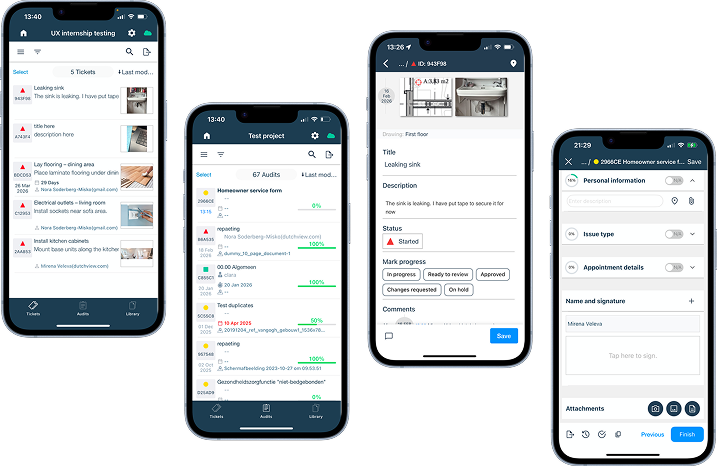
The accountable is the person who owns the project. This user has full access to the project and can edit the settings of the project.
Assign the tickets from the reporters to a responsible
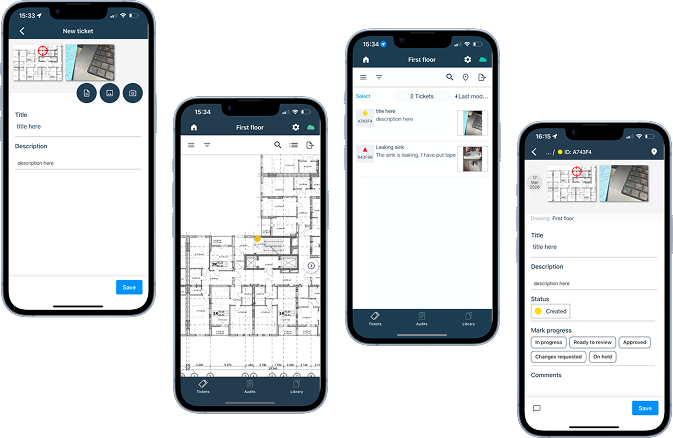
The Reporter is a limited-access role in Ed Controls. This user can create and follow tickets within the drawings or project areas assigned to them, but only sees the tickets they reported themselves.
Currently used for homebuyers
Research
Translate the research into clear user needs, goals and usage contexts.
Understand where communication becomes unclear and what information they need most.
Understand common UI practices used for tickets, progress, documents and communication.
Validate the concept and check if the interface was clear enough for non-technical users.
Compare client portals to identify useful patterns for tickets, progress, and communication.
Identify the most important communication moments, uncertainties and required actions.
Key insights
Not feasible as a client portal
Communication is fundamentally phase-dependent
Buyers need clarity, not data
Important updates get buried
Requests should first be reviewed internally
Response time and predictability matter as much as information
There is no feedback loop after buyer input
External users need clearer communication,
while the construction team still needs control over the process.
Design
Phase-based access
Homeowner can report issues
Homeowner can follow the process
Homeowner can report
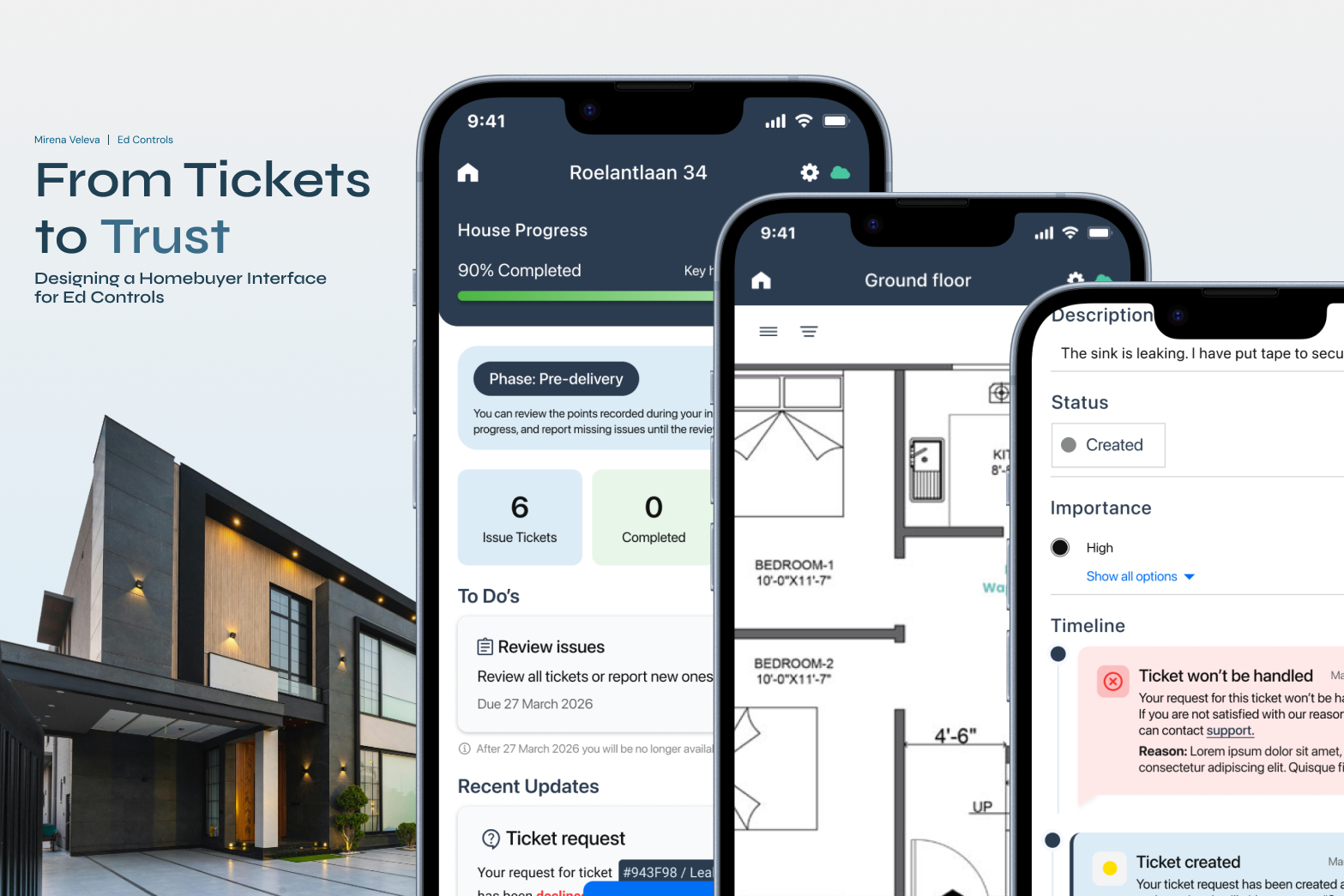
In this phase the homebuyers have an access as a reporter and they can review tickets, report extra issues and follow their statuses.
The period of the phase is determined by the accountable. They can manually change the period through the settings. Once the period ends, the interface changes to the next phase.
In this phase the homebuyer’s access has been limited to this of an informed role. This means they can only follow the statuses of the tickets.
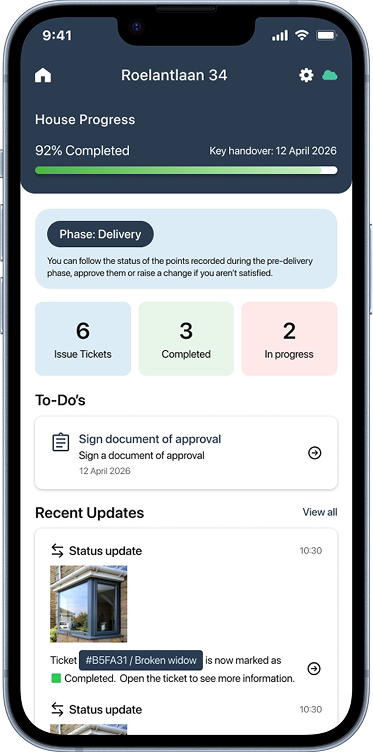
The only action required by them is to sign a document at the end where they will state they approve the completed tickets. If it is through an audit, then the audit page is available in this phase.
This period lasts until the key handover date, which is determined based on the project contract. Once it passes, the interface changes to the aftercare access.
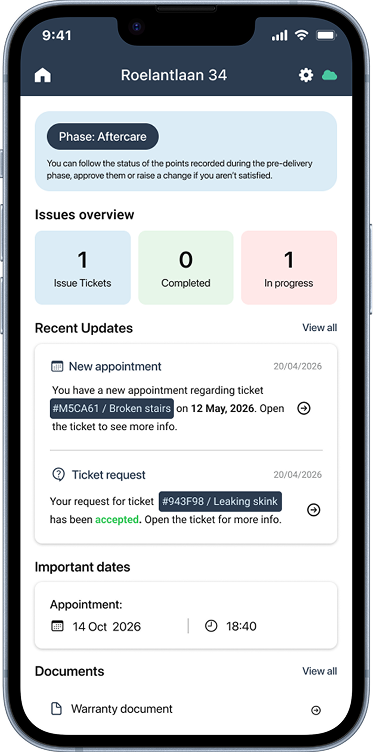
In this phase the homeowner once again has access as a reporter, which again can be determined by the accountable, but in most cases it should be 3 months.
Clarity over data
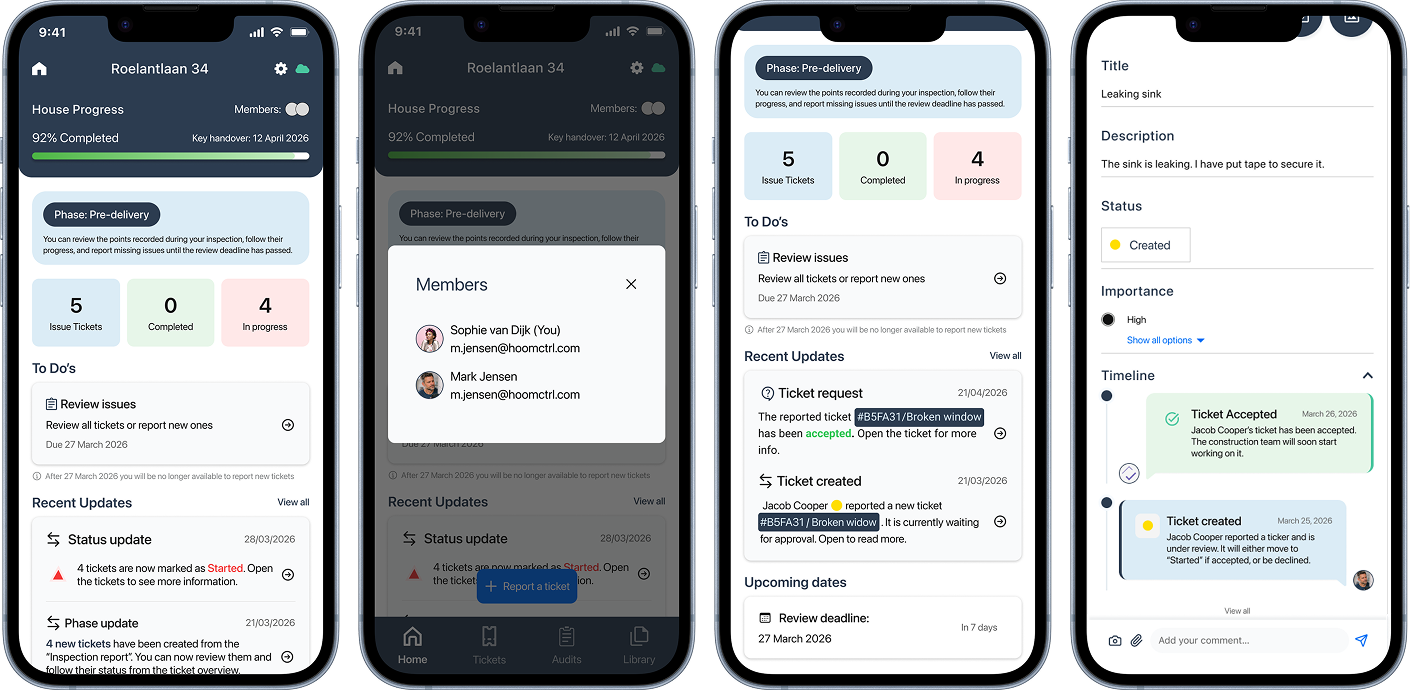
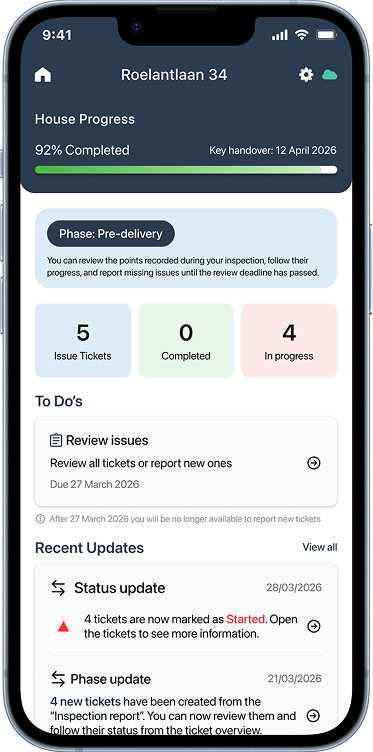
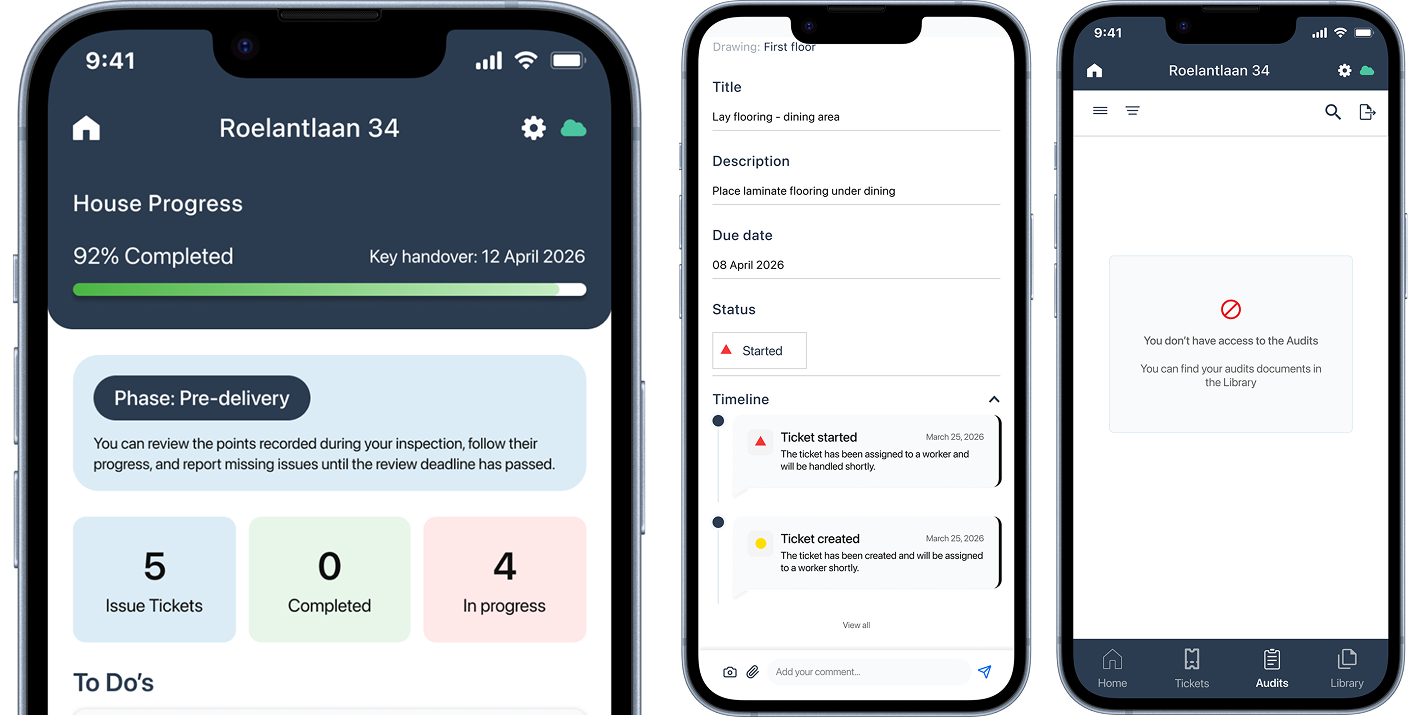
Technical audits are not shown to the homebuyer, because they contain internal construction information. Instead, the home screen gives a simplified overview of the ticket progress, such as completed and in-progress issues. The ticket detail page also only shows information that is relevant to the homebuyer, while internal data, assignees and technical details are removed.
Updates
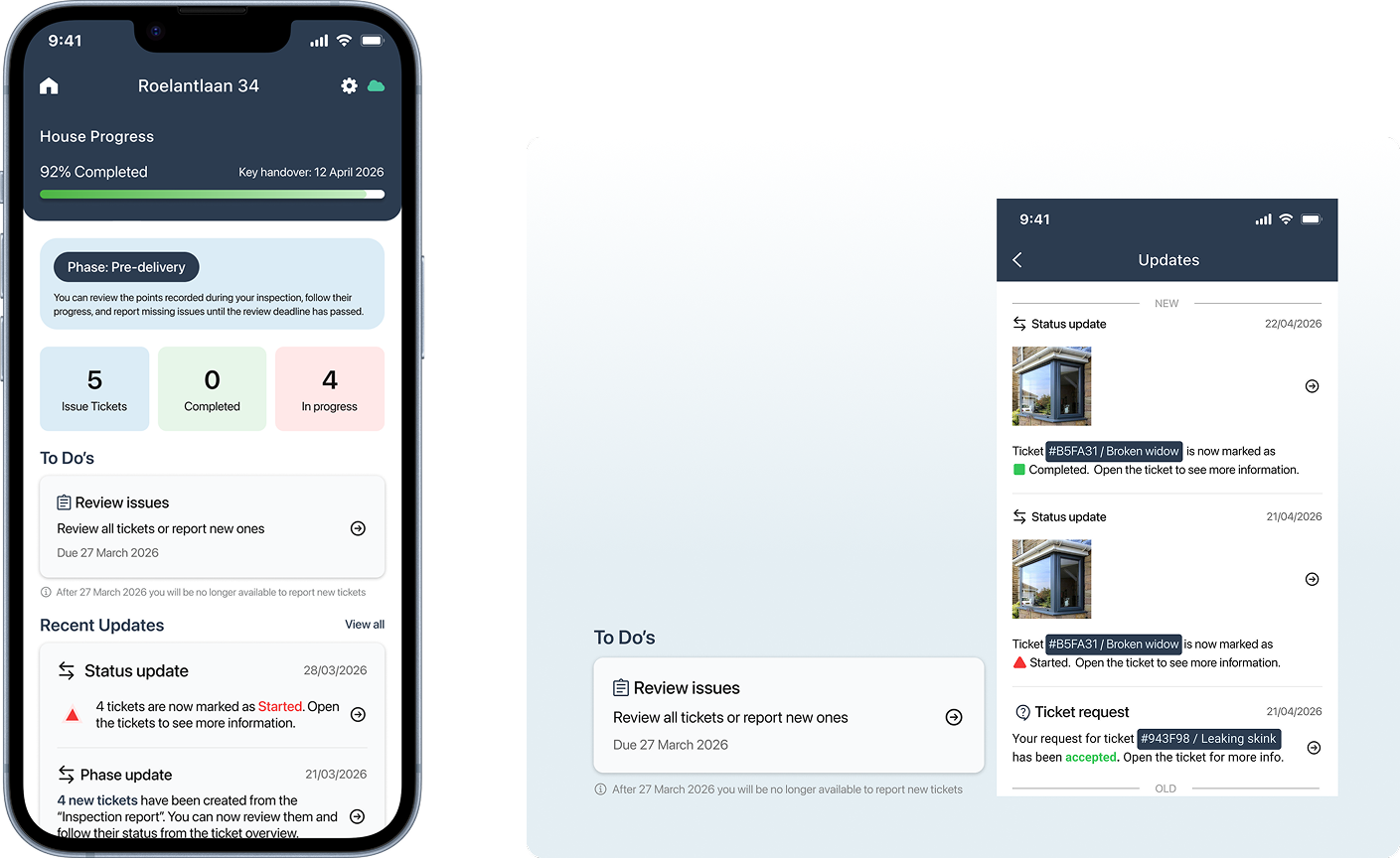
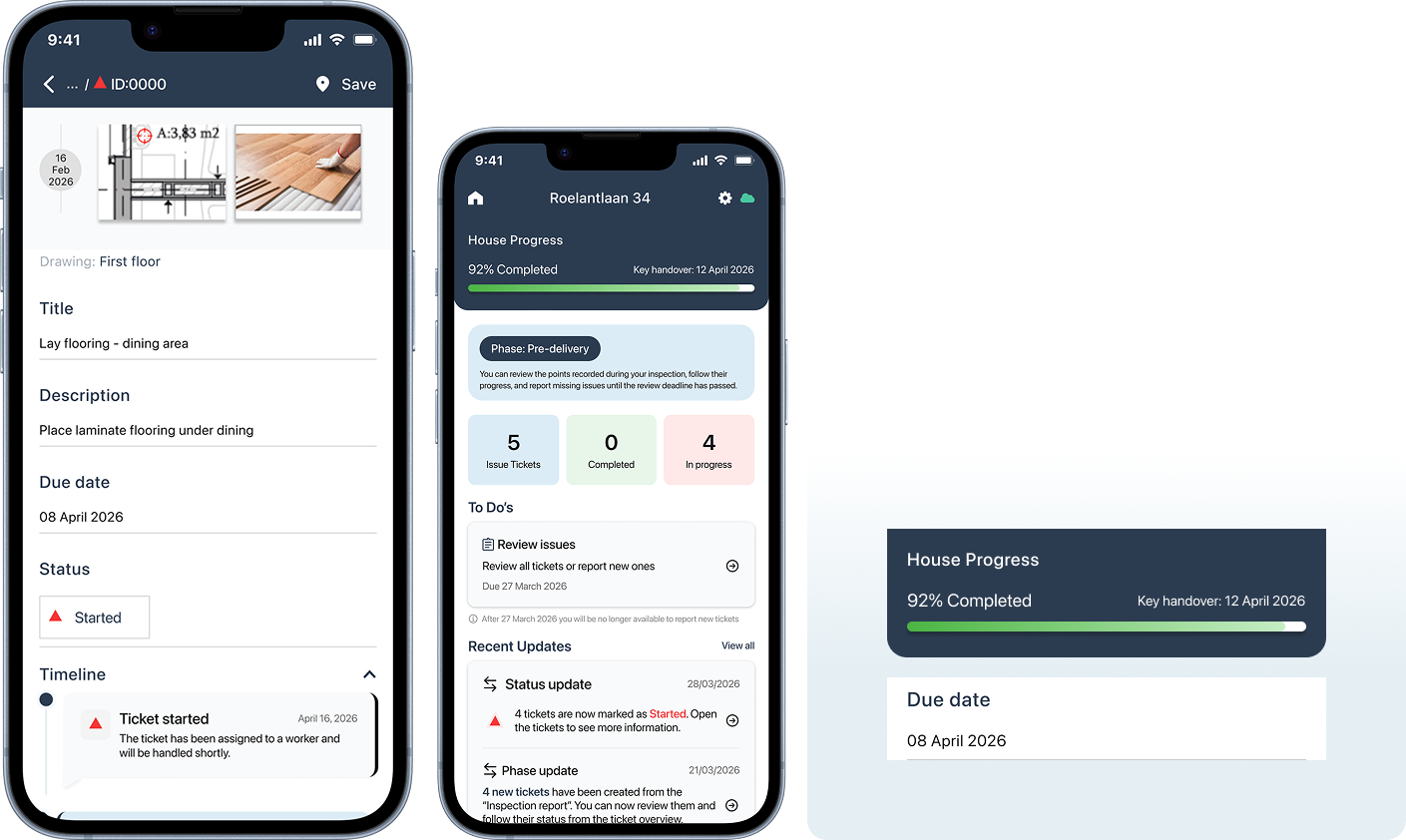
To prevent homebuyers from missing important information, relevant ticket and phase updates are shown directly on the home page. A separate To Do section highlights the actions expected from them, including the deadline, so they know what to review and when it needs to be completed.
Reporting a ticket
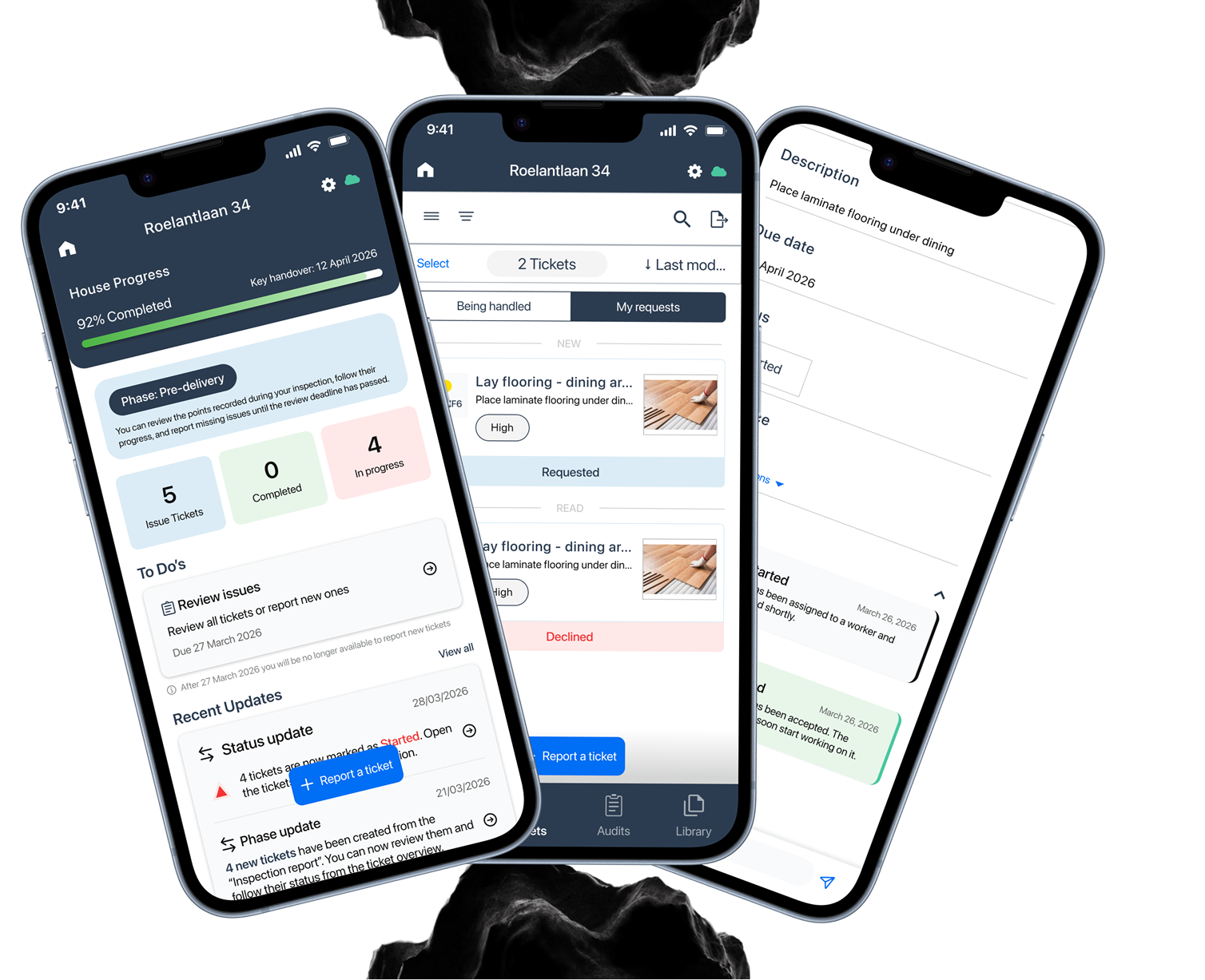
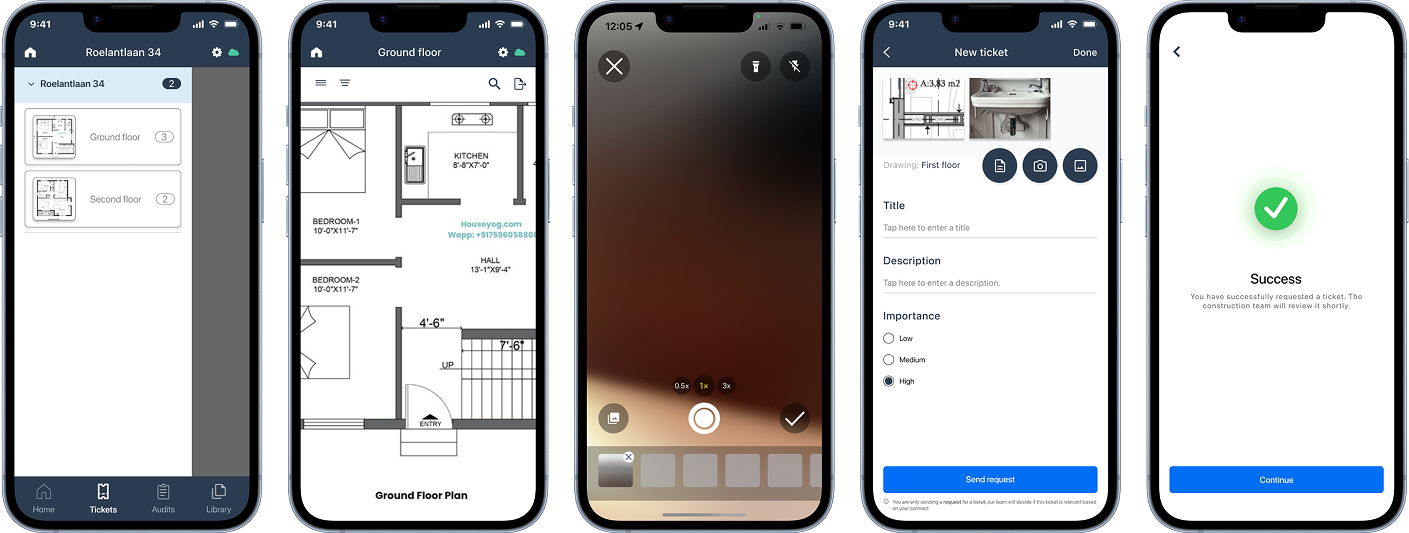
The reporting flow allows homebuyers to mark an issue on a drawing, add photos and details, and send it as a request for review.
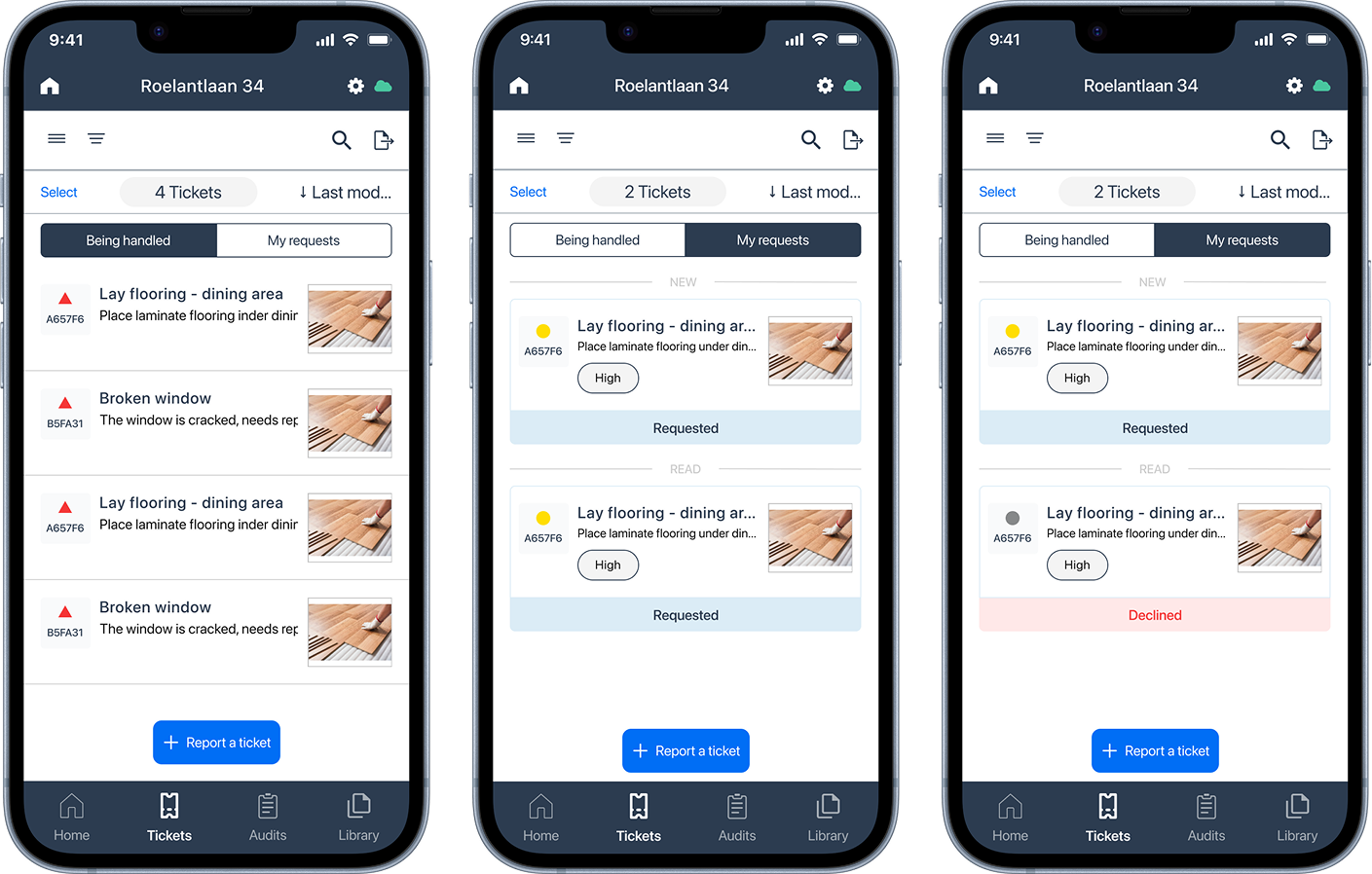
Tickets are separated into “Being handled” and “My requests” so homebuyers can clearly see what is already accepted and what is still under review.
Construction team interface
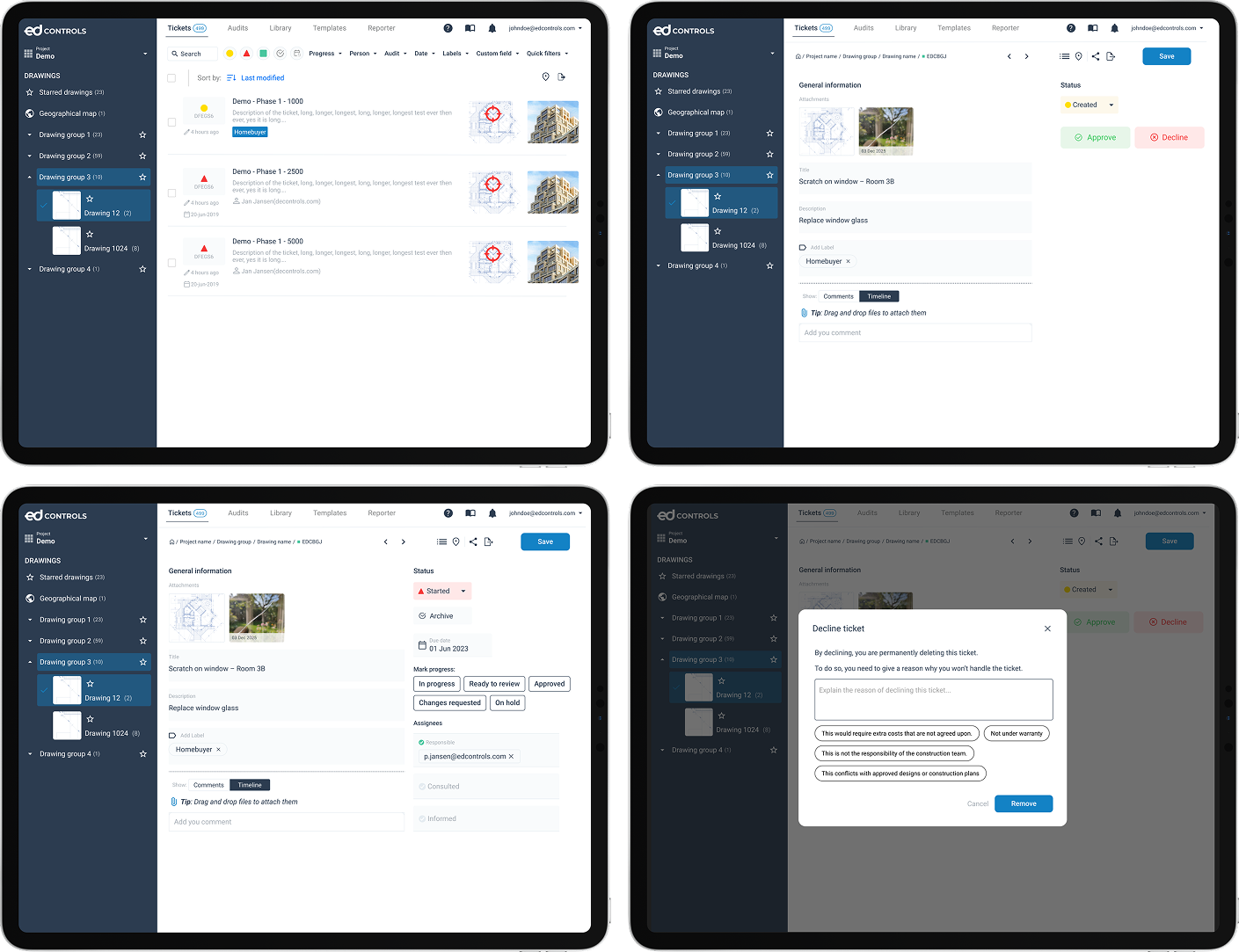
The construction team can review homebuyer requests, approve or decline them, and keep control over what becomes an official Ed Controls ticket.
Predictability
House progress and due dates give homebuyers more transparency about the project timeline. They can see how far the house is, when key moments are expected and what deadlines are connected to their actions.
Transparent feedback
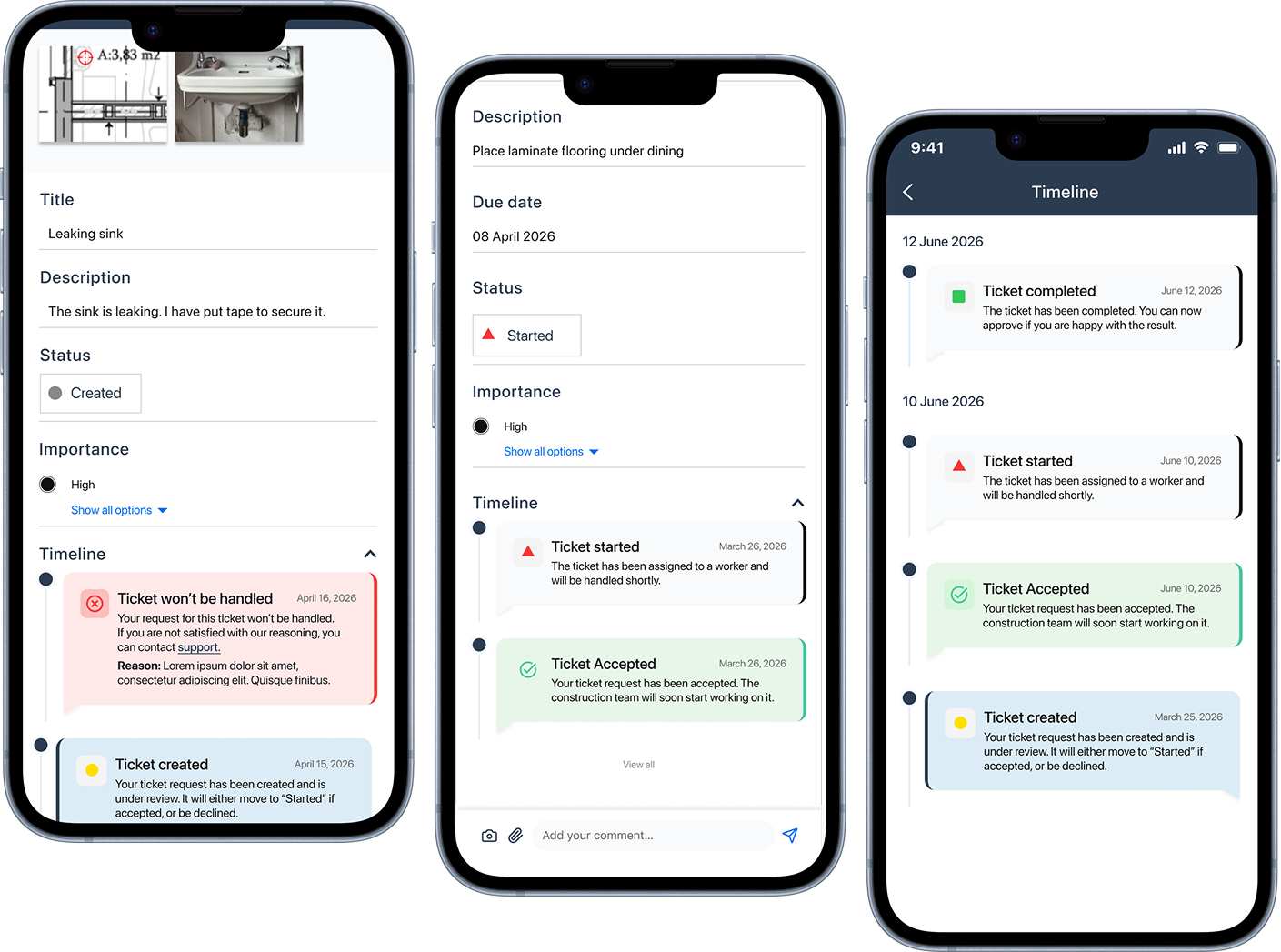
The timeline explains what each ticket step means and how it affects the issue. This gives homebuyers clearer feedback when a ticket is created, accepted, started, declined or completed, and helps them understand how the update influences their home or the overall project progress.
Homebuyer groups
For projects where multiple people need access to the same house, I explored the option of homebuyer groups. This would allow connected homebuyers to see the same project updates and ticket information, while still showing who reported each issue. In this way, communication stays shared and transparent without creating duplicate reports.